

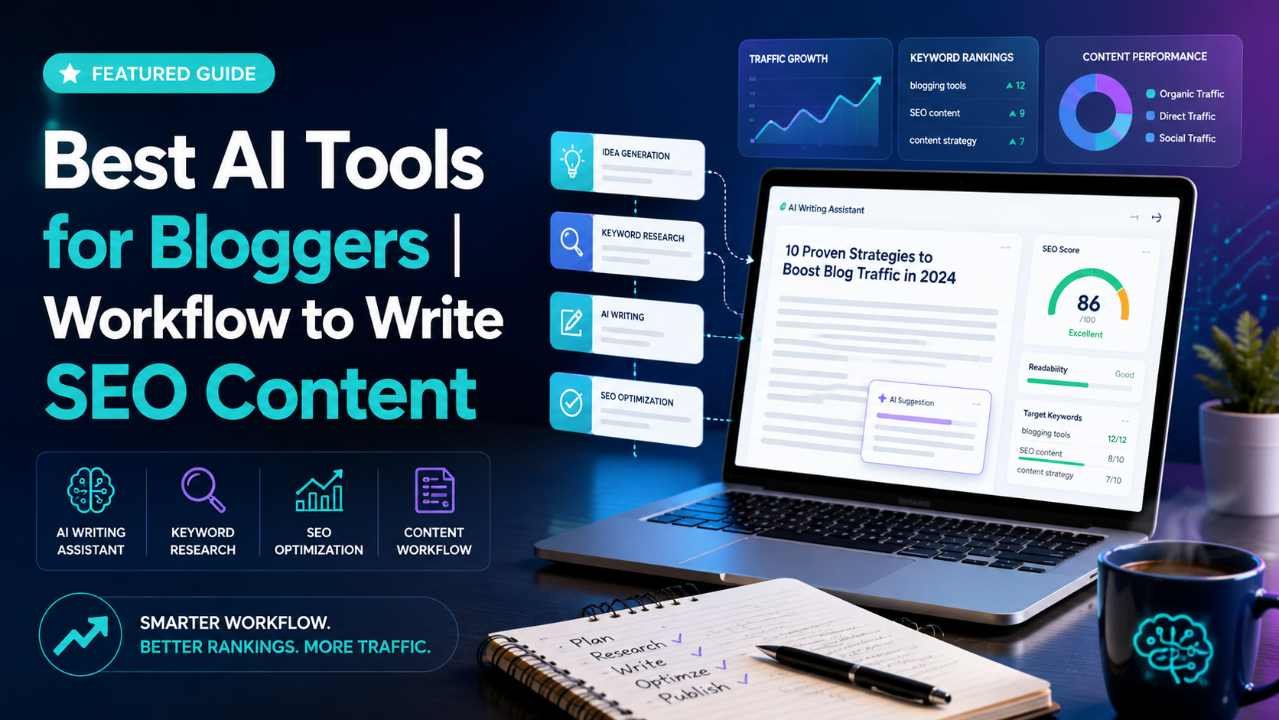
The best AI tools for bloggers are not the ones that promise to write a full article in one click. The best tools are the ones that help you work faster while still keeping your ideas, judgment, experience, and editorial control at the center of the process.
AI can help bloggers research topics, organize ideas, create outlines, improve readability, check grammar, generate images, repurpose content, and optimize posts for search engines. But AI should not replace your thinking. A blog post still needs a clear purpose, accurate information, real examples, helpful explanations, and a human point of view.
That matters even more today because Google’s guidance focuses on helpful, reliable, people-first content. Google has also explained that using AI is not automatically against its rules, but content should not be created mainly to manipulate rankings. You can read Google’s official guidance on creating helpful, reliable, people-first content for a deeper understanding.
This guide explains how bloggers can use AI practically and responsibly. You will learn which types of AI tools are useful, how to build a controlled blogging workflow, where human editing is essential, and which mistakes to avoid before publishing.
Why Bloggers Should Use AI Carefully
AI tools can save a lot of time, but they can also create problems when used without review. Many AI-generated articles sound polished but lack depth, accuracy, originality, or personal experience. That is why successful bloggers use AI as an assistant, not as the final author.
For example, AI can help you brainstorm ten article angles in seconds. But you still need to choose the angle that matches your audience. AI can create a first outline, but you need to make sure it answers the real search intent. AI can draft paragraphs, but you need to add examples, screenshots, product experience, data, and clear advice.
The goal is not to publish more content for the sake of publishing. The goal is to create better content with less wasted effort.
A smart AI blogging workflow should help you:
- Find better topic angles
- Understand reader problems
- Create stronger outlines
- Speed up first drafts
- Improve clarity and structure
- Optimize for SEO without keyword stuffing
- Edit faster
- Repurpose content for email and social media
The important part is control. You decide what is useful, what is accurate, and what deserves to be published.
What Makes an AI Tool Good for Bloggers?
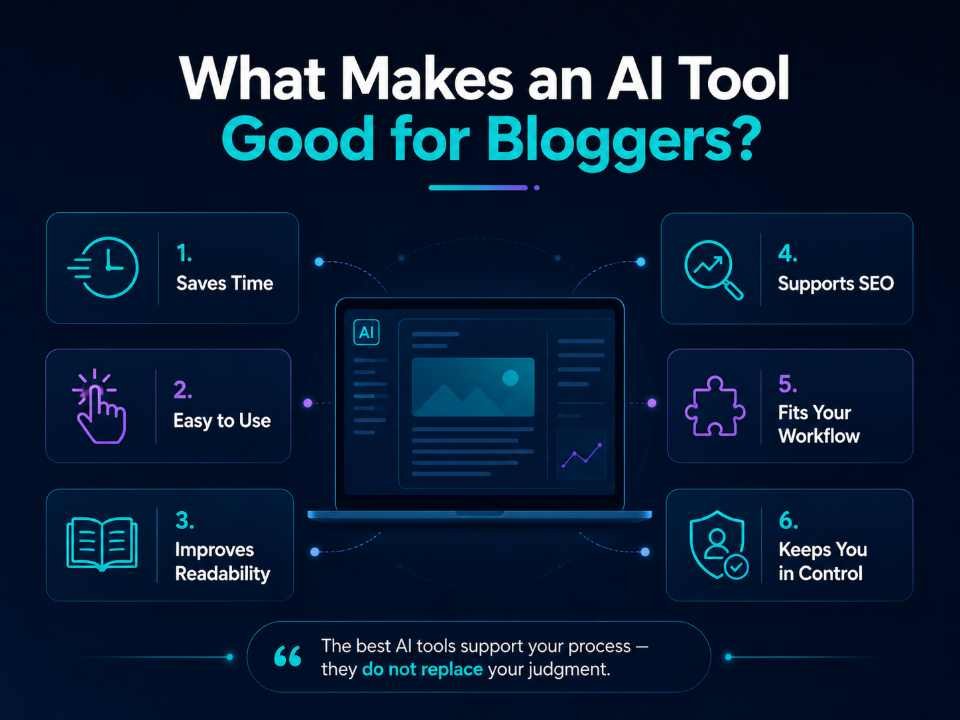
Before choosing tools, understand what a good AI blogging tool should actually do. A useful tool should support your content process without making your content generic.
A good AI tool for bloggers should be able to:
- Save time on repetitive tasks
- Improve structure and readability
- Help with research organization
- Suggest SEO improvements naturally
- Support your brand voice
- Make editing easier
- Help you check gaps in the content
- Allow human review before publishing
A weak AI tool usually creates long text quickly but does not help you think better. It may repeat obvious points, invent facts, overuse keywords, or produce content that sounds similar to hundreds of other articles online.
The best approach is to use different AI tools for different stages of the blogging process instead of expecting one tool to do everything perfectly.
Best AI Tools for Bloggers by Workflow Stage
1. AI Research and Topic Discovery Tools
Research is where a strong blog post begins. AI can help you understand a topic faster, but you should still verify important facts from trusted sources.
Useful tools in this stage include AI chat assistants, search-based AI tools, keyword research platforms, Google Search, Google Trends, forums, and industry websites.
You can use AI to ask questions like:
“Give me the main problems beginners face when choosing AI tools for blogging.”
“Group these keyword ideas by search intent.”
“What questions would a small business blogger ask before using AI for SEO content?”
This helps you move from a broad topic to a useful angle. Instead of writing a generic article titled “AI Tools for Blogging,” you might discover a better angle such as “Best AI Tools for Bloggers: A Practical Workflow That Keeps You in Control.”
That angle is more helpful because it solves a real problem: bloggers want AI support, but they do not want to lose quality, originality, or control.
2. AI Keyword and SEO Planning Tools
AI SEO tools help you understand what people are searching for. AI can help organize keywords, but it should not blindly decide your content strategy.
Popular SEO tool categories include keyword research tools, content optimization tools, rank tracking tools, and on-page SEO plugins. Examples include Google Keyword Planner, Ahrefs, Semrush, Ubersuggest, Rank Math, Yoast SEO, and Surfer-style content optimization platforms.
Use these tools to check:
- Main keyword
- Related keywords
- Search intent
- Content difficulty
- Questions people ask
- Competitor headings
- Internal linking opportunities
For this article, the main keyword is best AI tools for bloggers. Related keywords may include AI blogging tools, AI writing tools for bloggers, AI content creation tools, and blogging workflow with AI.
The keyword should appear naturally in the title, introduction, headings, body, meta description, image alt text, and conclusion. But it should never be forced into every paragraph. SEO works best when the content is useful first and optimized second.
3. AI Outline and Content Brief Tools
A content brief keeps your article focused. Before writing, use AI to build a structured outline based on search intent.
A good outline should include:
- A clear introduction
- Main sections that answer the topic fully
- Practical examples
- Common mistakes
- FAQs
- Conclusion with a next step
You can ask AI:
“Create a detailed outline for an article about the best AI tools for bloggers. Make it practical, beginner-friendly, and focused on keeping human control.”
Then review the outline manually. Remove weak sections, combine repeated ideas, and add your own experience.
A strong outline prevents thin content. It also helps you avoid writing a long article that says very little.
4. AI Writing Tools
AI writing tools can help you create first drafts, rewrite unclear sections, simplify complicated ideas, and generate examples. Tools like ChatGPT, Claude, Gemini, Jasper, Copy.ai, and similar writing assistants can be useful depending on your needs.
However, you should avoid publishing raw AI drafts without editing. A first draft is only a starting point.
Use AI writing tools for:
- Drafting introductions
- Expanding bullet points
- Rewriting complex paragraphs
- Creating examples
- Suggesting headings
- Summarizing research notes
- Creating meta descriptions
- Repurposing content
Do not rely on AI for:
- Final fact-checking
- Personal opinions
- Product experience you do not have
- Legal, medical, or financial claims without expert review
- Fake statistics
- Fake quotes
- Fake case studies
A practical rule is simple: AI can write with you, but it should not publish for you.
For better results, give AI clear instructions. OpenAI’s own prompt engineering best practices recommend being specific, giving examples, and clearly describing the desired output.
5. AI Editing and Grammar Tools
Editing tools are very helpful for bloggers because they can catch grammar issues, improve clarity, and reduce awkward wording. Common editing tools include Grammarly, Hemingway Editor, ProWritingAid, LanguageTool, and built-in AI editing features in writing platforms.
Use editing tools to check:
- Grammar
- Spelling
- Sentence length
- Passive voice
- Repeated words
- Tone
- Readability
- Clarity
But do not accept every suggestion automatically. Sometimes editing tools remove personality from your writing. If a sentence sounds natural and clear for your audience, it may be better to keep it.
Editing should make your writing cleaner, not robotic.
6. AI Image and Design Tools
Blog posts often need featured images, diagrams, screenshots, charts, and social media graphics. AI image tools can help create visual ideas, but they must be used carefully.
Useful tools include Canva, Adobe Express, Midjourney, DALL·E-style image generators, and AI-powered design assistants.
For bloggers, AI design tools can help with:
- Featured image concepts
- Blog banners
- Infographics
- Pinterest pins
- Social media thumbnails
- Simple diagrams
- Visual summaries
Always make sure your images are relevant to the article. A beautiful image that does not support the content is not useful. Also, write descriptive alt text. For this article, a good alt text could be: “Best AI tools for bloggers practical workflow.”
7. AI Repurposing Tools
After publishing a blog post, AI can help turn it into other formats. This is one of the most practical uses of AI for bloggers.
You can repurpose one blog post into:
- LinkedIn post
- X/Twitter thread
- Instagram carousel
- Email newsletter
- YouTube video script
- Pinterest description
- Short social captions
- FAQ snippets
For example, after publishing this article, you could ask AI:
“Turn this blog post into a 7-slide LinkedIn carousel for beginner bloggers.”
“Create a short email newsletter that summarizes this article and links readers to the full post.”
“Write five social media captions promoting this blog post without sounding salesy.”
This helps you get more value from one strong article instead of constantly creating from zero.
A Practical AI Blogging Workflow That Keeps You in Control
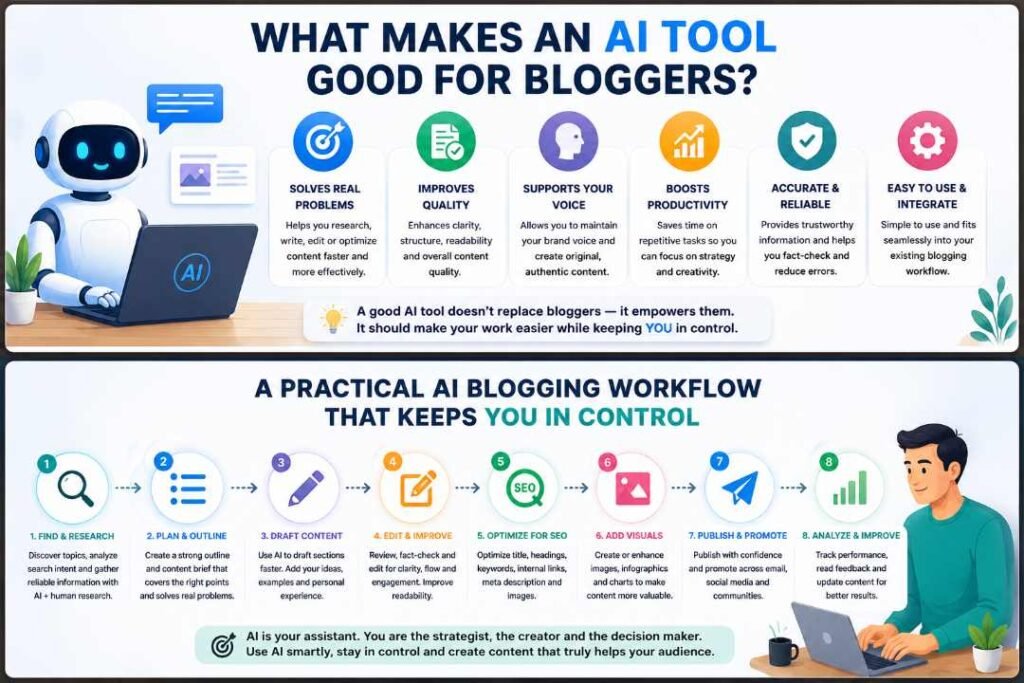
Here is a simple workflow you can use for almost any blog post.
Step 1: Start With the Reader Problem
Before opening any AI tool, define the reader’s problem.
Ask yourself:
- Who is this article for?
- What do they already know?
- What are they confused about?
- What decision do they need to make?
- What should they be able to do after reading?
For this topic, the reader may be a blogger who wants to use AI but does not want to publish low-quality content. That means the article should not only list tools. It should show a practical workflow.
Step 2: Research the Topic Manually and With AI
Use AI to brainstorm questions, but verify important information yourself. Check official documentation, trusted websites, real product pages, and your own experience.
For example, if you mention Google’s stance on AI content, use Google’s official Search Central documentation. If you mention prompting, use reputable guidance such as OpenAI’s documentation or educational resources.
This protects your article from false claims.
Step 3: Create a Search Intent-Based Outline
Search intent means the reason behind a search query. Someone searching “best AI tools for bloggers” likely wants tool suggestions, comparisons, use cases, and practical advice.
Your outline should answer that intent fully.
A strong outline for this keyword may include:
- What AI tools can do for bloggers
- Tool categories
- Practical workflow
- Examples
- Mistakes to avoid
- FAQs
- Conclusion
Do not create headings just to add keywords. Each heading should help the reader.
Step 4: Draft Section by Section
Instead of asking AI to write the whole article in one command, work section by section.
For example:
“Write a practical section explaining how bloggers can use AI for keyword research without keyword stuffing.”
Then review the output. Add your own examples, remove generic lines, and make the advice more specific.
This approach gives you better control than generating a full article at once.
Step 5: Add Human Experience and Examples
This is where many AI-assisted articles fail. They sound smooth but do not show real understanding.
Add examples such as:
- A prompt you would actually use
- A before-and-after headline improvement
- A simple workflow checklist
- A mistake you have seen bloggers make
- A realistic use case for a beginner blogger
For example, instead of saying “AI improves productivity,” explain this:
A blogger writing a product review can use AI to create a comparison table structure, but the blogger should fill it with real product testing notes, screenshots, pricing checks, pros, cons, and personal observations.
That is much more useful than a generic statement.
Step 6: Optimize for SEO Naturally
Once the draft is complete, optimize it.
Check:
- Is the main keyword in the title?
- Is it in the introduction?
- Is it in at least one heading?
- Is it used naturally in the body?
- Is the meta description clear?
- Is the slug short?
- Are images named and described properly?
- Are internal links added?
- Are external links trustworthy?
- Are FAQs included where useful?
Do not overuse the keyword. Google-friendly SEO is not about repeating the same phrase again and again. It is about satisfying the reader better than competing pages.
Step 7: Edit for Accuracy, Clarity, and Trust
Before publishing, read the article like a real visitor.
Ask:
- Is this actually helpful?
- Are any claims unsupported?
- Is anything outdated?
- Is the article too generic?
- Are examples practical?
- Is the advice safe and realistic?
- Does the conclusion give a clear next step?
AI can help with editing, but final judgment should be yours.
Step 8: Publish, Monitor, and Improve
After publishing, track performance. Look at impressions, clicks, rankings, engagement, and comments. If readers are not staying on the page, the article may need stronger examples, clearer formatting, or better search intent alignment.
SEO is not finished when the article goes live. The best bloggers update their content when tools change, search intent shifts, or better examples become available.
Practical Example
Let’s say you want to write a blog post titled “How to Start a Food Blog.”
A poor AI workflow would be:
“Write a 2000-word article on how to start a food blog.”
This may produce a readable but generic article.
A better workflow would be:
- Ask AI to list beginner questions about starting a food blog.
- Check Google results and forums to understand search intent.
- Build an outline around real beginner problems.
- Ask AI to draft only one section at a time.
- Add your own examples, such as choosing a niche, taking food photos, writing recipes, or setting up WordPress.
- Use an SEO tool to check title, slug, internal links, and meta description.
- Use an editing tool to improve readability.
- Add screenshots, real tips, and a clear next step.
- Review everything manually before publishing.
This workflow takes more effort than one-click writing, but it produces a stronger article.
Common Mistakes Bloggers Make With AI Tools
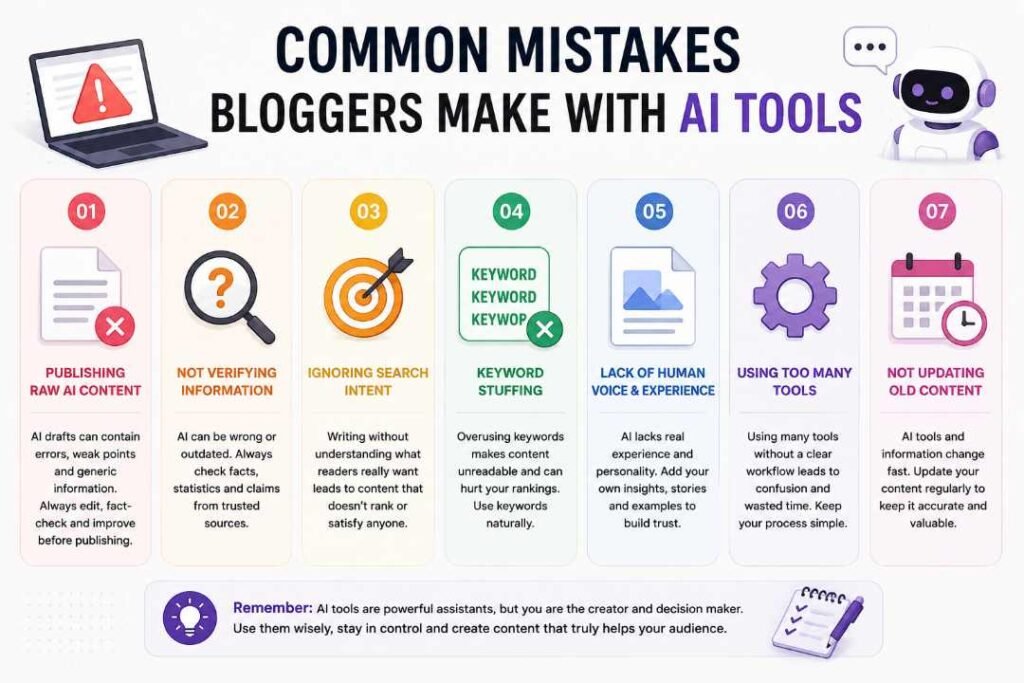
Mistake 1: Publishing Raw AI Content
Raw AI content often sounds complete, but it may lack accuracy, depth, and originality. Always edit, fact-check, and improve it.
Mistake 2: Choosing Tools Before Understanding the Workflow
Do not buy tools just because they are popular. First understand your workflow. Then choose tools that solve real problems.
Mistake 3: Keyword Stuffing
Repeating “best AI tools for bloggers” too many times will not make the article better. Use keywords naturally and focus on answering the topic properly.
Mistake 4: Ignoring Search Intent
A tool list alone may not satisfy the reader. Many readers want to know which tool to use at each stage and how to use it practically.
Mistake 5: Trusting AI With Facts Without Verification
AI can be wrong. Always verify statistics, legal information, medical claims, financial information, tool features, and pricing from reliable sources.
Mistake 6: Removing the Human Voice
If every article sounds the same, readers will not remember your blog. Add your experience, opinions, examples, and brand personality.
Mistake 7: Not Updating Old Content
AI tools change quickly. A post about AI blogging tools should be reviewed regularly so outdated tools, broken links, or old advice can be updated.
FAQs:
What are the best AI tools for bloggers?
The best AI tools for bloggers are tools that help with research, outlining, writing, editing, SEO, design, and content repurposing. Examples include AI writing assistants, SEO platforms, grammar tools, design tools, and WordPress SEO plugins. The right choice depends on your workflow, budget, and content goals.
Can bloggers use AI content for SEO?
Yes, bloggers can use AI to support SEO content, but the final article should be helpful, accurate, original, and created for readers. AI should not be used to mass-produce low-value content or manipulate search rankings.
Is AI writing bad for Google rankings?
AI writing is not automatically bad for Google rankings. What matters is content quality. If the content is useful, reliable, people-first, and properly reviewed, AI can be part of the workflow. Low-quality, copied, inaccurate, or spammy content can perform poorly regardless of how it was created.
How should beginners use AI for blogging?
Beginners should use AI for brainstorming, outlines, simple drafts, editing, meta descriptions, FAQs, and social media repurposing. They should still verify facts, add personal examples, and edit the article before publishing.
Should AI write the full blog post?
AI can help draft a full blog post, but you should not publish it without review. A better approach is to create the article section by section, edit carefully, add examples, and make sure the final content matches your audience’s needs.
Which AI tool is best for SEO blogging?
There is no single best AI tool for every blogger. A good SEO blogging setup may include one AI writing assistant, one keyword research tool, one editing tool, one design tool, and one WordPress SEO plugin.
How do I keep AI content original?
To keep AI content original, start with your own angle, add personal experience, use real examples, verify facts, rewrite generic sections, and avoid copying competitor structures too closely.
Final Thoughts
The best AI tools for bloggers are not shortcuts for avoiding real work. They are practical assistants that help you research faster, organize ideas better, write more clearly, edit more efficiently, and promote content across different platforms.
The key is to stay in control. AI should support your strategy, not replace it. You should decide the topic, angle, structure, examples, sources, and final message. You should also review every article for accuracy, usefulness, readability, and trust.
A strong AI blogging workflow starts with the reader’s problem, uses AI for support, adds human experience, follows SEO best practices, and ends with careful editing before publishing.
Your next step is simple: choose one upcoming blog topic and build a controlled AI workflow around it. Use AI for brainstorming, outlining, drafting, editing, and repurposing—but make the final article genuinely useful, accurate, and worth reading.