

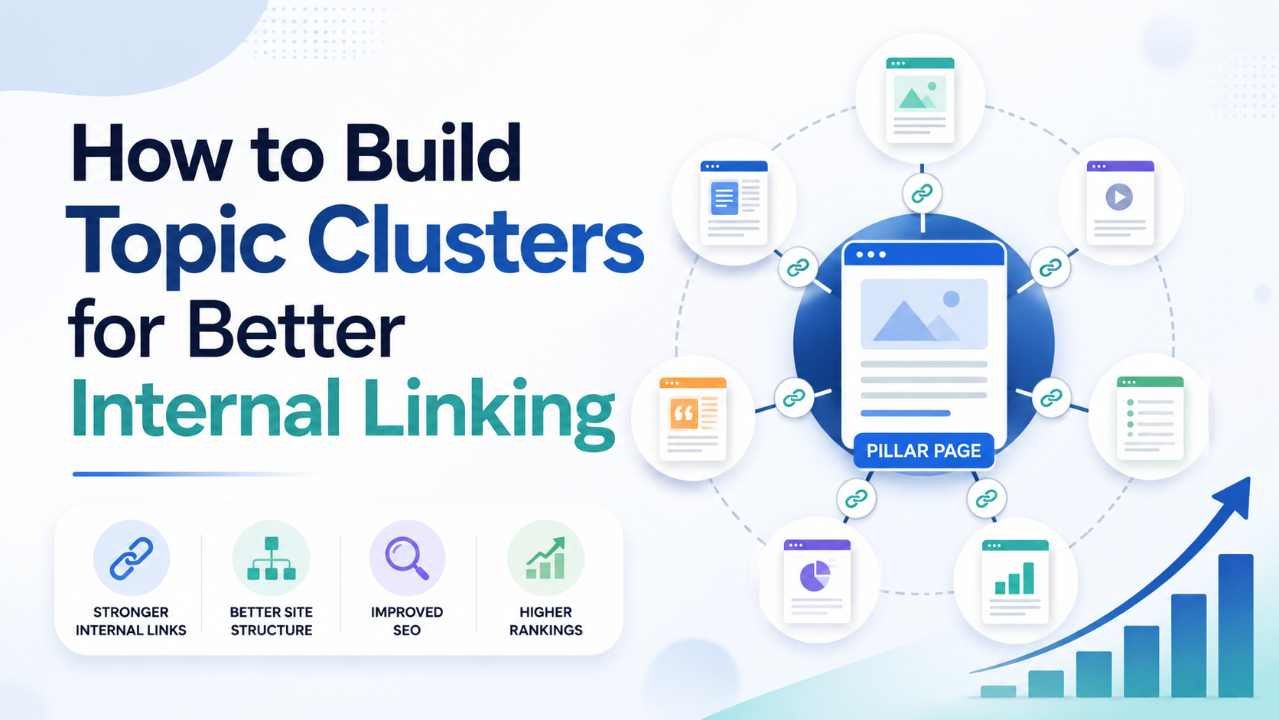
Publishing more articles does not automatically create a stronger website. A site can contain useful posts and still feel disconnected when pages sit alone, overlap, or give readers no clear next step.
Learning how to build topic clusters that strengthen internal linking solves that structural problem. You organize related content around a central subject, connect pages according to user needs, and create a repeatable system for planning, publishing, updating, and linking content.
This guide explains how topic clusters support internal linking, how to build one, and which mistakes to avoid.
What Is a Topic Cluster?
A topic cluster is a group of closely related pages organized around one central subject.
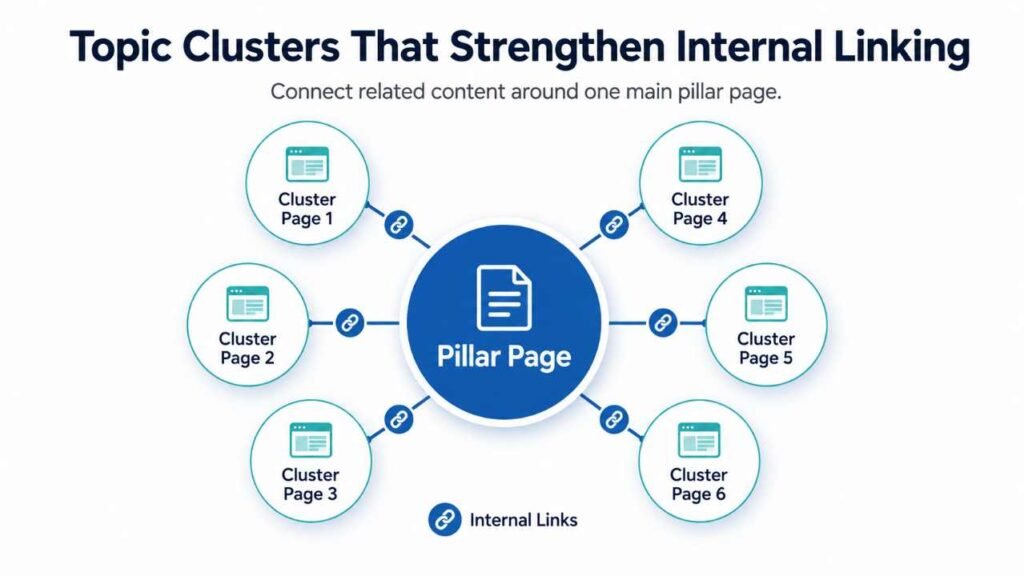
Most topic clusters contain three parts:
- A pillar page: A broad, useful guide covering the main topic and introducing its major subtopics.
- Cluster pages: More focused articles that answer specific questions or solve narrower problems.
- Internal links: Contextual links connecting the pillar page and cluster pages in ways that help readers continue their journey.
Imagine a website that teaches WordPress SEO. Its pillar page might be “WordPress SEO: The Complete Beginner’s Guide.” Supporting cluster pages could cover sitemap setup, keyword research, title tags, schema, internal linking, image optimization, and Search Console.
The pillar should link to those detailed guides where each subject is introduced. The supporting pages should link back to the pillar when readers need broader context. Relevant supporting articles may also link to one another when the connection is useful.
Why Topic Clusters Strengthen Internal Linking
Topic clusters improve internal linking because relationships are planned before publication rather than added as an afterthought.
They Give Every Page a Clear Role
A cluster forces you to decide whether a page offers broad orientation, answers a question, compares options, explains a process, or supports a conversion. Once the role is clear, useful link destinations become easier to identify.
They Reduce Orphaned Content
An orphan page has no meaningful internal links pointing to it. A cluster plan gives each new page a logical connection from an existing hub or related article.
Google explains that links help its systems discover pages and recommends making links crawlable. It also advises using descriptive, relevant anchor text rather than vague phrases such as “click here.” Google’s link best practices support the same user-first approach: links should set a clear expectation about the destination.
They Help Readers Continue Naturally
A useful internal link answers the question, “What will this reader probably need next?”
Someone reading about pillar pages may next need keyword mapping, while someone researching cannibalization may need instructions for merging posts. Topic clusters make those next steps visible.
Topic Clusters Are Not Just Keyword Groups
A spreadsheet containing 30 related keywords is not yet a topic cluster.
Keywords show how people phrase searches. A cluster should also reflect:
- the problems readers are trying to solve;
- the order in which they need information;
- the level of detail each page should provide;
- where one article should hand the reader to another;
- which page deserves to become the main hub.
For example, “what is internal linking” and “internal links meaning” may belong in one introductory guide. By contrast, auditing internal links and choosing anchor text are different tasks that may justify separate pages.
Google’s guidance on creating helpful, reliable, people-first content recommends creating pages primarily to help readers rather than mainly to attract search traffic. A good topic cluster follows that principle by giving each page a distinct purpose.
How to Build Topic Clusters That Strengthen Internal Linking
Step 1: Choose a Topic
Start with a subject that is central to your site and important to your audience.
A cluster topic should support several useful subtopics while remaining coherent. “Digital marketing” is usually too broad; “email marketing for small ecommerce stores” is more manageable.
Check that the subject is central to the site, supports several genuinely different questions, and gives readers a reason to move from introductory to advanced guidance.
For New Rize, subjects such as AI-assisted blogging, WordPress setup, keyword research, website ranking, and sustainable monetization can each become separate clusters rather than being forced into one oversized hub.
Step 2: Define the Pillar
The pillar should provide a complete overview, answer the main question, introduce the topic’s important branches, and direct readers to deeper resources without containing every detail.
Write a one-sentence promise before outlining the pillar. For example:
This guide will help a small business owner understand the local SEO process and reach a detailed tutorial for each step.
That promise helps you decide what belongs on the pillar and what deserves a supporting page.
Step 3: Map Search Intent and Reader Stages
Group potential subtopics by what the reader is trying to accomplish.
A practical intent map may include:
- Learn: Definitions, concepts, benefits, and terminology.
- Plan: Strategy, tools, checklists, and prioritization.
- Do: Step-by-step tutorials and implementation guides.
- Compare: Tools, methods, platforms, or alternatives.
- Fix: Troubleshooting, audits, mistakes, and recovery.
- Improve: Advanced optimization and measurement.
Suppose the central topic is “AI tools for blogging.” One page may introduce the workflow, while other pages cover AI research tools, outlining, fact-checking, image creation, editing, and responsible review.
New Rize’s guide to the best AI tools for bloggers and an SEO content workflow is a natural starting point for that kind of cluster because it connects tools to stages of the publishing process rather than treating them as an unstructured list.
Step 4: Audit Existing Content
Do not assume every missing keyword requires a new article. Inventory what already exists first.
For each relevant URL, record its:
- primary purpose;
- target topic;
- current internal links;
- traffic and search performance;
- freshness and content quality;
- overlap with other pages.
Then label each page keep, update, merge, redirect, or create. This prevents keyword cannibalization and protects value that existing pages may already have earned.
A page with useful backlinks, impressions, or returning visitors should not be deleted simply because you are reorganizing the cluster. It may be better to update the content, merge it into a stronger resource, or redirect it carefully.
Step 5: Build a Content Map, Not a Flat List
Place the pillar page at the center, then arrange supporting pages around user tasks.
Here is a simple cluster for “content SEO”:
Pillar: Content SEO Guide
Supporting pages:
- How to research search intent
- How to create a content brief
- How to optimize headings
- How to build topic clusters
- How to audit internal links
- How to update declining content
- How to measure content performance
The pillar links to the supporting pages. The topic-cluster guide may link to search intent and internal-link auditing, while the content-brief guide may link to search intent and heading optimization.
Selective links preserve context better than linking every page to every other page.
Step 6: Assign One Primary Purpose
Every cluster page should answer a distinct question better than the other pages in the cluster.
A short page brief should define:
- the intended audience;
- the problem being solved;
- the primary query;
- the search intent;
- the unique angle;
- the required sections;
- incoming internal links;
- outgoing internal links;
- the desired next action.
For example, a broad website-ranking article should introduce multiple ranking factors, while a dedicated internal-linking article should go deeper into site architecture, anchor text, audits, and implementation.
New Rize’s guide to strategies for improving website rankings can serve as a broader contextual resource, while this article handles one specific system in depth.
Step 7: Design Links Around Reader Transitions
Add internal links where the reader’s need changes.
The most useful placements often appear:
- after a concept that needs a deeper explanation;
- before a task requiring a separate tutorial;
- inside a comparison where one option needs more detail;
- after a warning that leads to a troubleshooting guide;
- in the conclusion as the logical next step.
Avoid inserting five links into one paragraph simply because the keywords are available. A link should reduce friction, not interrupt the reading experience.
For example, a paragraph explaining keyword cannibalization might naturally link to a guide about merging overlapping articles. A paragraph about publishing workflows may link to a content brief template. These links help the reader complete a task rather than merely increasing the number of links on the page.
Step 8: Use Descriptive Anchor Text
Anchor text should describe the destination in language that fits the sentence.
Avoid vague anchors such as:
- click here;
- read this;
- learn more;
- this article.
Prefer descriptive wording such as:
- audit your existing internal links;
- create a WordPress SEO checklist;
- compare AI tools for blog research;
- improve website ranking fundamentals.
Do not force the same exact-match anchor every time. Natural variations are clearer, fit the sentence better, and make the writing less repetitive.
Step 9: Link in Both Directions
When publishing a new cluster page, link from it to the pillar and relevant supporting pages. Then update older pages to link back to the new article.
A practical publishing process is:
- Add the new article to the pillar page.
- Find relevant older articles that should link to it.
- Link the new page back to its pillar.
- Add selective links to closely related supporting content.
- Verify that every URL works.
- Confirm that links point to the preferred canonical version.
This backward-linking step matters because a new page that only links outward can remain isolated from the stronger parts of the site.
Step 10: Create a Visible Hub
A pillar page should be accessible through the normal site experience rather than buried several clicks deep.
Depending on the website, it may appear in:
- the main navigation;
- a topic or resource hub;
- a “Start Here” page;
- the homepage;
- a related-guides section.
New Rize already presents SEO and blogging growth resources as a focused topic area. As more articles are published, that hub can organize content into subgroups such as keyword research, site structure, internal linking, content quality, and performance.
A Practical Topic Cluster Example
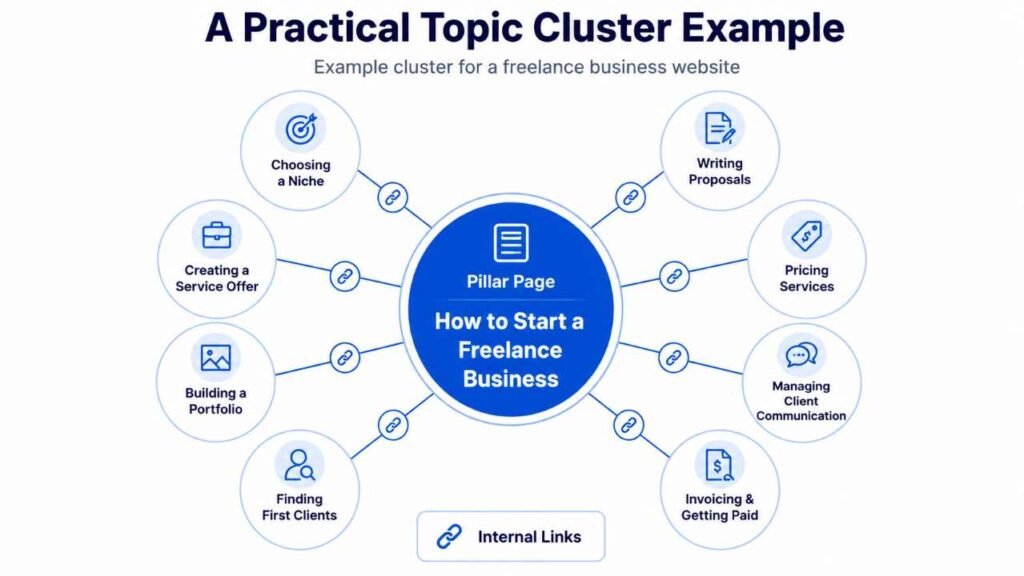
Consider a website that helps freelancers build an online business.
Pillar page: How to Start a Freelance Business
Cluster pages:
- Choosing a freelance niche
- Creating a service offer
- Building a portfolio
- Finding first clients
- Writing proposals
- Pricing freelance services
- Managing client communication
- Invoicing and getting paid
- Scaling with systems
The links should follow the reader’s real journey:
Choose a niche → define an offer → build proof → find prospects → send proposals → deliver work → collect payment → improve systems
The niche article should naturally link to the service-offer guide. The proposal article may link to pricing and portfolio resources. The invoicing guide may link to client management, but it probably does not need links to every early-stage article.
That sequence creates useful internal links because it reflects how the problem is actually solved.
Common Topic Cluster Mistakes
Creating a Giant Pillar With Shallow Supporting Pages
The pillar should be broad, but supporting pages must add real depth. If each cluster page merely repeats two paragraphs from the pillar, it creates duplication rather than value.
A supporting page should offer details, screenshots, examples, templates, comparisons, or instructions that would make the pillar unnecessarily long.
Targeting the Same Intent on Multiple Pages
Similar wording does not always mean separate search intent. Merge pages that compete to provide the same answer.
For example, separate articles targeting “what is a pillar page,” “pillar page meaning,” and “what are pillar pages” may overlap heavily. One strong guide will usually serve readers better than three weak variations.
Linking Every Page to Every Other Page
More links are not automatically better. Excessive cross-linking makes the cluster look flat and gives readers too many choices.
Link according to relevance, sequence, and the next task. A technical audit guide does not need to link to every beginner-level definition in the cluster.
Using Exact-Match Anchors Unnaturally
Anchor text should be descriptive, but it still needs to sound human. Repeating an identical keyword-rich phrase across every page can make the copy awkward and distract readers.
Use clear variations that describe the destination honestly.
Building Clusters Around Products Rather Than Problems
A cluster designed only to push visitors toward a product often feels incomplete.
Start with the reader’s questions. Add product, service, affiliate, or conversion pages only where they genuinely solve the next problem.
Publishing the Cluster but Never Maintaining It
Topics evolve. Tools change. New questions appear. Pages become outdated.
Review important clusters periodically and after major changes to the subject, product, software, or search landscape. Update both the content and the links connecting it.
How to Measure Whether a Topic Cluster Is Working
Do not judge a cluster only by the ranking of its pillar page.
Track signals across the complete group of pages, including:
- growth in impressions and clicks;
- the number of pages receiving organic traffic;
- improved discovery of supporting pages;
- engagement with internal links;
- reductions in orphaned pages;
- fewer overlapping articles;
- conversions assisted by informational content;
- movement from introductory pages to deeper guides.
Google Search Console can help you compare query and page performance before and after the cluster is improved. Analytics can show whether visitors continue to another relevant page.
Allow enough time for crawling, indexing, and user behavior to produce meaningful data. Measure the cluster as a system: one article may attract the first visit, another may establish trust, and the pillar may guide the final decision.
Topic Cluster Maintenance Checklist
During each cluster review, check whether:
- the pillar still offers the best overview;
- every supporting page has a distinct purpose;
- important pages are reachable through contextual links;
- new posts receive links from older relevant pages;
- anchor text remains descriptive and varied;
- broken links and outdated URLs are fixed;
- redirects point to the correct destination;
- duplicated articles should be merged;
- important reader questions remain unanswered.
A smaller, well-maintained cluster is usually more useful than a large collection of loosely connected posts.
FAQs
How many articles should a topic cluster contain?
There is no fixed number. A useful cluster may contain six focused pages or several dozen, depending on the subject. Publish only the pages needed to answer distinct questions. Depth and clarity matter more than reaching an arbitrary number.
Does every cluster page need to link to the pillar page?
Usually, when the pillar provides meaningful broader context. Place the link naturally rather than mechanically repeating it in the same location on every page.
Should every cluster page link to every other cluster page?
No. Supporting pages should link to one another only when the connection helps the reader. A selective network based on related tasks is more useful than a dense web of unnecessary links.
Can one article belong to more than one topic cluster?
Yes. An internal-link audit may support both technical SEO and content strategy. Choose one primary home, then link from the second cluster where the article adds genuine value.
Are topic clusters a guaranteed ranking tactic?
No SEO structure guarantees rankings. Topic clusters can improve organization, discoverability, context, and user navigation, but results also depend on content quality, competition, technical health, authority, and how well the pages satisfy search intent.
Should old content be deleted when building a cluster?
Not automatically. First decide whether it should be updated, merged, redirected, or retained. Deleting a useful URL without reviewing its links, traffic, rankings, and purpose can remove value unnecessarily.
Can a small website use topic clusters?
Yes. Small websites often benefit because clusters help them focus limited resources on a few subjects instead of publishing disconnected articles across too many categories. Begin with one pillar and a small group of useful supporting pages.
How often should topic clusters be reviewed?
Review important clusters whenever you publish related content, notice declining performance, change a product or workflow, or identify outdated information. A broader scheduled review every few months can also uncover missing links and duplication.
Conclusion
Understanding how to build topic clusters that strengthen internal linking begins with one simple shift: stop planning pages as isolated keywords and start planning them as connected answers.
Choose a central topic, define a useful pillar, map distinct reader needs, audit existing content, and give each supporting page a clear purpose. Then create links around natural transitions so readers can move from broad understanding to practical action without getting lost.
Your next step is to choose one important subject on your site and create a one-page cluster map. List the pillar, existing supporting articles, missing questions, and the links that should connect them.
Improve that cluster before starting another. A clear, maintained system will do more for users and for long-term SEO than a growing archive of disconnected posts.