

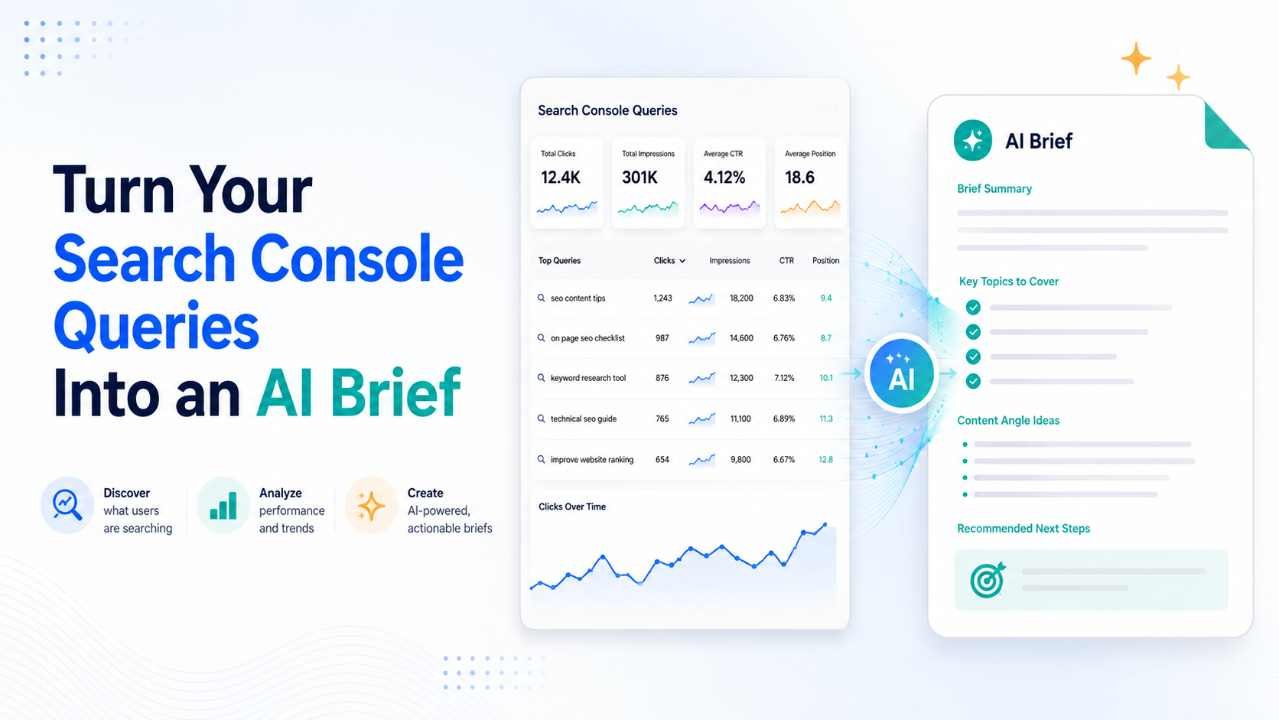
Updating an existing article should not start with guesswork. Once a page has been live for a while, Search Console queries can show you the exact language people use when your page appears in Google. That data often reveals questions, subtopics, and search patterns you would never spot during the first round of keyword research.
The problem is that query data can get messy very quickly. A single page may appear for hundreds of search terms, and not all of them deserve a content update. An AI-assisted update brief helps you sort those queries into meaningful groups, compare them with the current article, and turn the strongest opportunities into clear editing instructions.
Why Search Console Queries Matter
Search Console data is useful because it reflects real search visibility rather than only estimated keyword demand. It helps you understand how Google currently connects a page with different search intents. The goal is not to stuff more phrases into the article but to learn what readers may still be looking for.
Understand Real Search Language
Keyword tools are useful before publication, but Search Console becomes valuable after Google has already started showing the page in real search results.
Imagine you publish an article targeting “WordPress image optimization.” A few weeks later, the page begins appearing for searches about image compression quality, WebP files, mobile image sizes, and reducing file size without blur.
Those phrases tell you something important. Searchers may see the topic more broadly than your original keyword suggested. Their wording can help you understand what they expect the article to explain.
Identify Repeated Search Intent
One query rarely gives you enough information to justify an update. The stronger signal usually comes from several queries that ask the same thing in slightly different ways.
For example:
- reduce image size without quality loss
- compress images without losing quality
- make images smaller without blur
- best compression quality for website images
These should not become four separate sections. They represent one search need.
AI is useful here because it can quickly group similar phrases by meaning. You still need to review those clusters yourself, but the initial sorting can save a lot of time.
Find Gaps in Existing Content
Some of the best update opportunities come from queries you never intentionally targeted.
Suppose a page starts appearing for “WebP vs AVIF for WordPress,” but the article only mentions file formats in one sentence. If similar queries keep appearing, that may point to a real gap.
The fix does not always need to be a large section. Sometimes two useful paragraphs, a small comparison table, or a clearer example are enough to satisfy the missing intent.
Know the Data Limitations
Search Console is helpful, but it should not be treated as a complete record of every search connected to your page. Some queries are hidden for privacy, and reporting limits can affect what appears in the table.
That is why patterns matter more than individual rows. Google’s guidance on query and performance data explains these reporting limits in more detail.
Use the data as evidence, not as a perfect keyword database.
Choose the Right Page First
Not every article needs to be refreshed just because it has been published for a long time. A better approach is to start with pages where the search data gives you a clear reason to investigate. Choosing the right page first keeps the rest of the process focused.
Look for Clear Opportunities
Good candidates often include pages that already receive impressions but are not getting the clicks you would expect.
You may also find pages that have started ranking for relevant new query groups, articles that have slowly lost visibility, or pages sitting just outside stronger positions for valuable searches.
The point is not to assume the article is bad. You are simply looking for evidence that a focused improvement could make it more useful or more aligned with search intent.
Avoid Updating Without Reason
Refreshing an article because it is “six months old” is not a strong strategy on its own.
Some topics stay accurate for years, while others change quickly. Before editing anything, define the actual problem. Maybe the content is outdated. Maybe the title no longer fits the queries. Maybe an important subtopic is missing.
If you cannot explain why the page needs an update, rewriting it may only create unnecessary work.
Confirm the Page Purpose
Before you export query data, write down what the page is meant to achieve.
Define its main topic, intended audience, primary search intent, and the outcome the reader should get after reading it.
This simple step is important because pages often appear for loosely related queries. If you forget the original purpose, you can easily keep expanding the article until it tries to serve too many different readers at once.
Prepare the Query Data
Once you choose the page, work with its own performance data rather than dumping thousands of sitewide queries into an AI tool. Keeping each query tied to one URL makes the analysis much more reliable and easier to review.
Filter a Single URL
Open the performance report and apply a page filter for the exact URL you want to analyze.
Keep useful columns such as:
- queries
- clicks
- impressions
- CTR
- average position
If you are investigating a decline or growth trend, comparing two suitable periods can also help.
Working with one URL at a time keeps the context clean. It becomes much easier to see which searches genuinely belong to that article.
Use a Sensible Date Range
There is no universal date range that works for every page.
A high-traffic page may show clear patterns in a few weeks, while a lower-traffic article may need several months of data before the trends become meaningful.
Seasonality matters too. If the page covers Christmas, tax season, summer travel, or another seasonal topic, compare similar periods whenever possible. Otherwise, normal changes in demand may look like a content problem.
Remove Obvious Query Noise
Search Console exports usually contain some queries that are not useful for content planning.
You can remove phrases that are clearly irrelevant, but avoid over-cleaning the file. Keep relevant zero-click queries if they have meaningful impressions, because they may reveal a topic Google already associates with your page.
It can also help to mark obvious groups such as questions, comparisons, beginner searches, troubleshooting phrases, and commercial terms before moving into AI analysis.
Group Queries by Search Intent
The most useful part of AI analysis is not finding more keywords. It is organizing large numbers of queries into clear search needs. That gives you a better picture of what people actually want from the page.
Cluster by Meaning, Not Words
Queries do not need to use the same wording to belong in the same cluster.
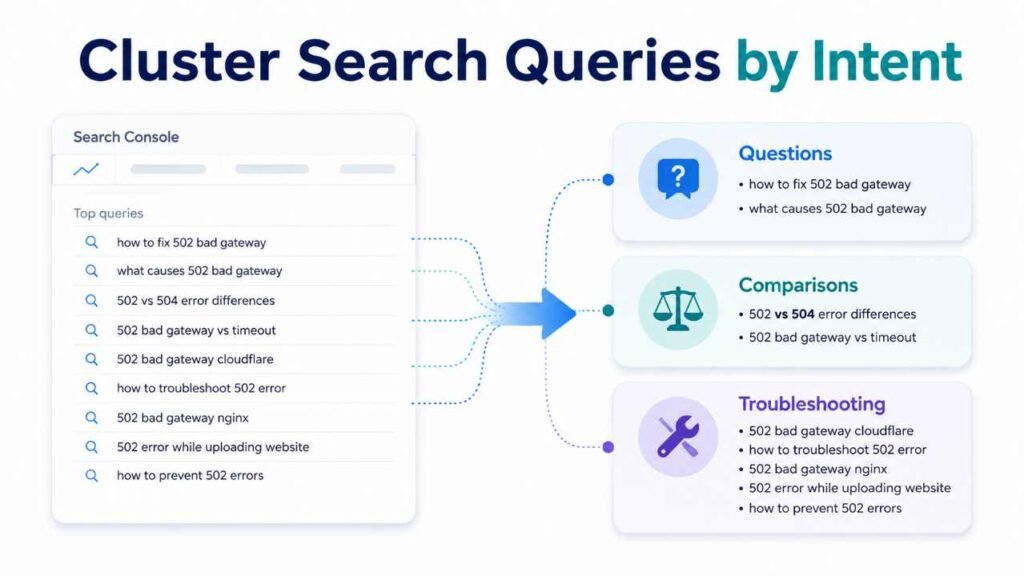
“How long does setup take?” and “setup time for beginners” may represent exactly the same intent even though the phrases look different.
Ask AI to group queries into practical categories such as:
- setup
- pricing
- troubleshooting
- comparisons
- alternatives
- beginner questions
- compatibility
- implementation
Then review the groups manually.
The label should describe the searcher’s need, not simply repeat the most common word.
Focus on Repeated Patterns
A single unusual query is usually not enough to justify a new section.
Pages sometimes appear for searches that are only loosely connected to the topic. If you react to every isolated query, the article can quickly become unfocused.
Repeated patterns are more useful. When several variations all point toward the same unanswered question, you have stronger evidence that readers may need better coverage of that area.
Separate Different Search Intent
Some query groups may be related to the subject but still belong on a different page.
For example, a technical article about improving WordPress speed may start appearing for “fastest WordPress hosting” or “best hosting for website speed.”
Those phrases are related to performance, but the reader now wants a buying comparison rather than technical optimization advice.
Trying to answer both intents on the same page can make the article confusing. In cases like this, a separate resource may be the cleaner option.
Compare Queries With Content
The query clusters only become useful when you compare them with what the article already covers. This step stops you from adding unnecessary sections simply because a term appears in Search Console.
Mark Current Coverage Levels
Review each important query cluster and decide how well the article currently answers it.
A simple system works well:
- fully covered
- partially covered
- briefly mentioned
- missing
- outside scope
This quickly shows where the real content gaps are.
A partially covered topic may only need clarification. A missing but highly relevant topic may deserve a new subsection. Something outside the page’s purpose may not need to be added at all.
Protect Sections That Work
One of the easiest mistakes with AI-assisted editing is rewriting strong content simply because the model can produce a different version.
Different does not automatically mean better.
If a section already answers an important search need clearly, remains accurate, and fits the page well, protect it. Keep strong examples, useful explanations, original insights, and headings that already make sense.
A good update improves weak areas without disturbing the parts that are already doing their job.
Use the Smallest Useful Fix
Not every gap needs another 500 words.
Sometimes the best update is only a few sentences. A comparison may need a small table. A recurring question might deserve one H3 and a short explanation.
The amount of content you add should match the reader’s need.
Longer content is not automatically more complete. In many cases, a focused explanation improves the article more than another large section.
Build the AI Update Brief
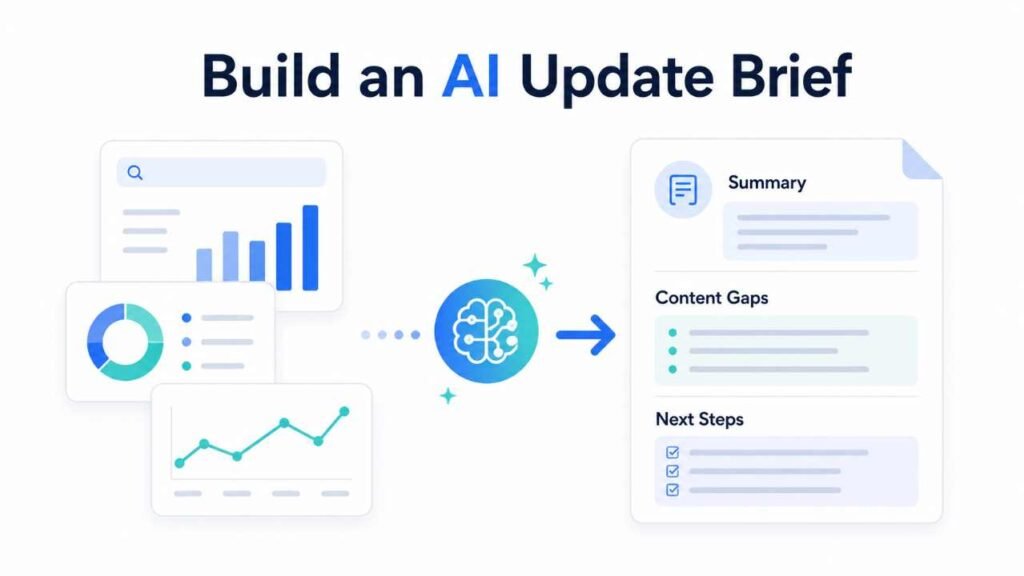
Once you know which query clusters matter and which parts of the page need attention, the next step is turning that analysis into a practical editing brief. The brief should guide the writer without taking control of the entire article.
Give AI Enough Context
Do not give the model only a list of queries.
Include the page topic, existing outline, important sections, target audience, primary intent, and the query clusters you want analyzed.
You can also tell it which parts should remain untouched.
A structured AI blogging workflow with human review can help here because research, analysis, drafting, and editing usually work better as separate steps instead of one giant AI prompt.
Ask for Clear Actions
Avoid broad prompts such as:
“How should I improve this article?”
That usually produces generic advice.
A better instruction would ask AI to identify specific gaps, explain which query cluster supports each gap, recommend where the new information should be added, and note which sections should remain unchanged.
You want editing instructions, not a vague content report.
Keep Evidence With Actions
Every recommendation should include a reason.
Instead of:
“Add more information about cost.”
Use something like:
“Several related queries ask about setup cost, while the current article does not explain the main cost factors. Add a short H3 after the requirements section and avoid using fixed prices unless they can be verified.”
Now the writer knows what to add, where to add it, and why the change exists.
Prioritize the Best Updates
A brief can become too large if every possible improvement gets the same priority. The strongest updates usually sit close to the page’s core intent and solve a clear reader problem. Prioritization keeps the article focused.
Put Relevance Before Impressions
High impressions can look attractive, but they should not be the only factor you consider.
A broad query may generate a lot of impressions while barely matching the purpose of the page. Meanwhile, a smaller query cluster may be highly relevant and reveal a genuine gap in the article.
The second opportunity may be more useful.
Ask which change would improve the page for its intended reader, not simply which keyword has the biggest number beside it.
Investigate Weak Click Patterns
A relevant query with strong impressions and weak clicks deserves attention, but do not immediately assume you need more content.
The title may not match the search well. The ranking position may be too low. The result page itself may answer the question directly. Or the query may have a slightly different intent.
Check the surrounding context before deciding whether the fix belongs in the content, title, introduction, or nowhere at all.
Watch for Page Overlap
Query data can also reveal situations where multiple pages are beginning to serve almost the same search intent.
Before creating another article, check whether the new topic is genuinely different from what already exists.
A useful approach to organizing closely related topic clusters can help you decide whether a query group belongs inside the current article or deserves its own focused page.
Example of an Update Brief
A practical example makes the process easier to understand. Imagine you have an established article about speeding up a WordPress website. Search Console starts showing several related query groups around general speed, plugins, mobile performance, and testing.
Review the Existing Article
Suppose the article already explains caching, image optimization, hosting, database cleanup, and removing unnecessary plugins.
That means the general speed and plugin-related queries may already be well covered.
However, mobile testing may only get one short mention, while practical speed testing is missing completely.
That gives you a much clearer update opportunity than simply adding more WordPress speed keywords.
Write Better Recommendations
A weak brief may say:
“Add content about mobile speed.”
That is too vague to be useful.
A stronger recommendation would say:
“Add a short H3 explaining how readers can test mobile performance before and after making optimization changes. Place it before the troubleshooting section. Keep the existing plugin advice because it already covers that query group well.”
Now the update is clear, focused, and easy to implement.
Know When to Split Topics
Now imagine the same article starts receiving impressions for:
- fastest WordPress hosting
- best hosting for website speed
- WordPress hosting speed comparison
Those queries belong to the same broad subject, but the intent has changed.
The existing article helps readers improve a website they already have. The new searcher wants to compare hosting options before making a decision.
That is a strong sign the topic may deserve a separate article instead of another large section.
Track the Results Afterward
The workflow does not end when the updated article is published. Keeping a basic record of what changed makes later analysis much easier. Without that context, it can be difficult to understand why rankings or clicks moved.
Keep Simple Change Notes
You do not need a complicated tracking system.
A spreadsheet with the following details is usually enough:
- URL
- update date
- sections added
- sections changed
- title changes
- query clusters targeted
These notes become useful when you review performance several weeks or months later.
They also help prevent repeated editing of the same sections without a clear reason.
Compare Similar Time Periods
After enough fresh data has accumulated, return to the same page-level report and compare it with a suitable earlier period.
Look at more than total clicks.
Check whether the targeted query clusters gained visibility, whether new related variations appeared, and whether existing strong queries remained stable.
Remember that seasonality, ranking changes, competition, and broader search behavior can also affect performance, so avoid assuming every change came from the content update.
Build a Repeatable Process
The most useful workflow is simple:
Publish → collect data → study queries → identify gaps → update carefully → measure again
This is much more reliable than rewriting articles whenever an SEO tool gives you a lower score or an AI model suggests extra headings.
Search Console provides the evidence. AI helps organize that evidence. Human judgment decides what should actually change.
Conclusion
Search Console queries become far more useful when you stop treating them as another keyword list. They can show you what readers expect from an existing page, which topics need clearer coverage, and where Google is already connecting the article with new search needs.
An AI-assisted update brief turns those signals into practical editing decisions. Work with one page at a time, group queries by intent, compare those groups with the existing content, protect sections that already work, and update only where there is a clear reason.
The goal is not to make every article longer. It is to make every update more useful.